Database entries
The available database entries that constitute the component are displayed below:
- Affiliates
- Companies
- Lists
- List Categories
- Yearly lists
- Yearly list labels
- Labeled yearly lists
- Labeled yearly list participations
Display existing entries
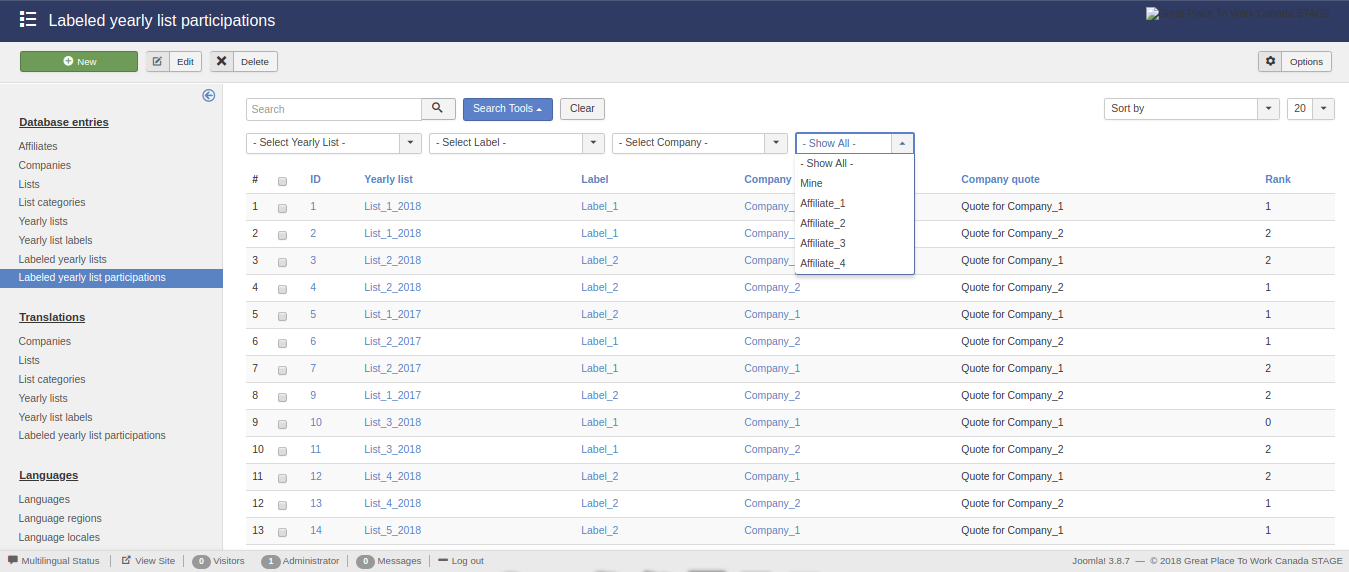
The initial view of this component consists of three main areas:
- The side menu,
- The actions bar, and
- The list.
The side menu contains the types of database entries that exist.
The list displays the entries that exist in the database. Also this area contains a search, filtering and ordering mechanism which enables the use to display a subset of the total database entries. Furthermore, each type of database entries is subject to different variables and as a result the corresponding list area contains different filtering and ordering options.
The action bar contains the buttons for manipulating the selected entries from list area.
Affiliates
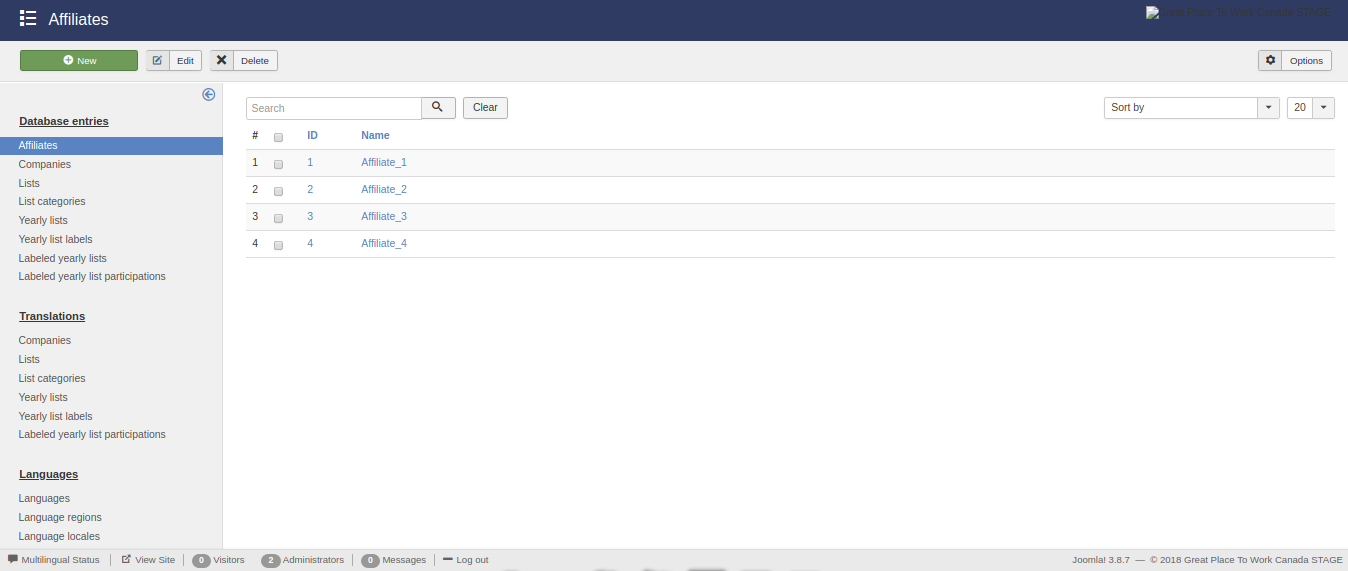
This view presents the available affiliates.
The search functonality is enabled for all the displayed fields.
There are no availbale filtering options.
The availbale ordering option are:
- ID (ascending/descending), and
- Name (ascending/descending).
Companies
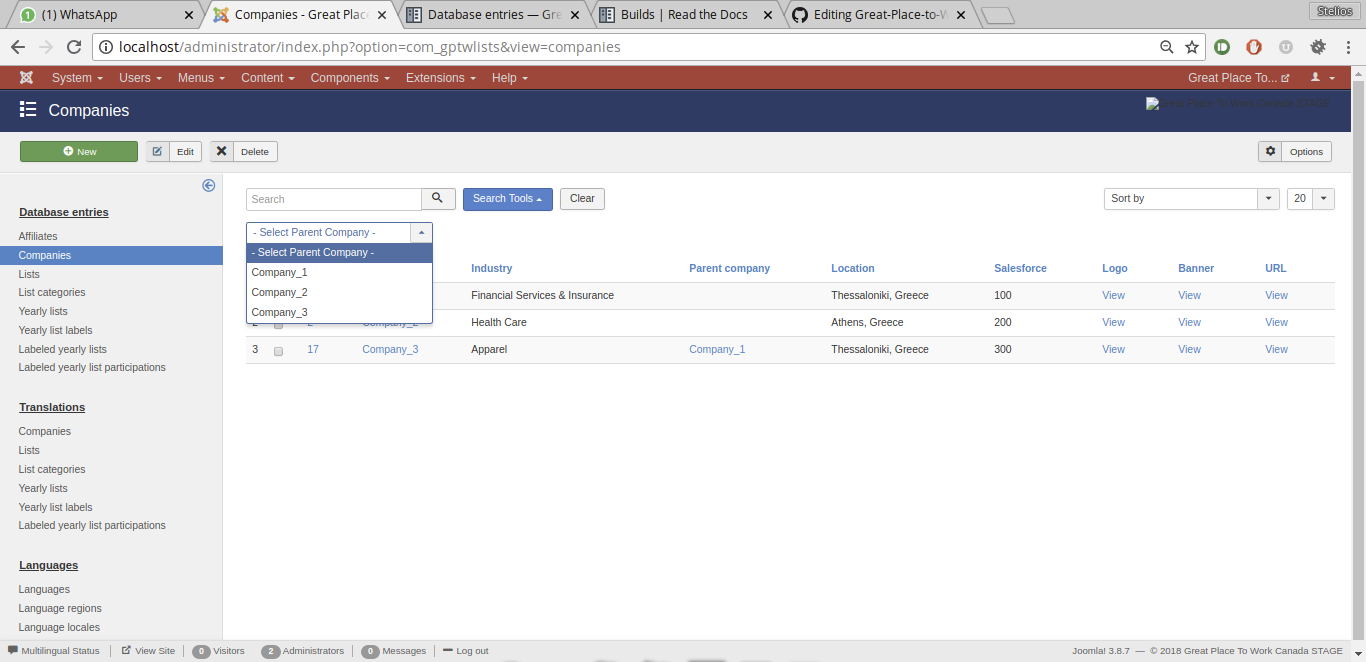
This view presents the available companies.
The search functonality is enabled for all the displayed fields.
The availbale filtering option are:
- Parent company
The availbale ordering option are:
- ID (ascending/descending),
- Name (ascending/descending),
- Industry (ascending/descending),
- Parent company (ascending/descending),
- Salesforce ID (ascending/descending),
- Location (ascending/descending),
- Logo image (ascending/descending),
- Banner image (ascending/descending),and
- Website URL (ascending/descending).
Lists
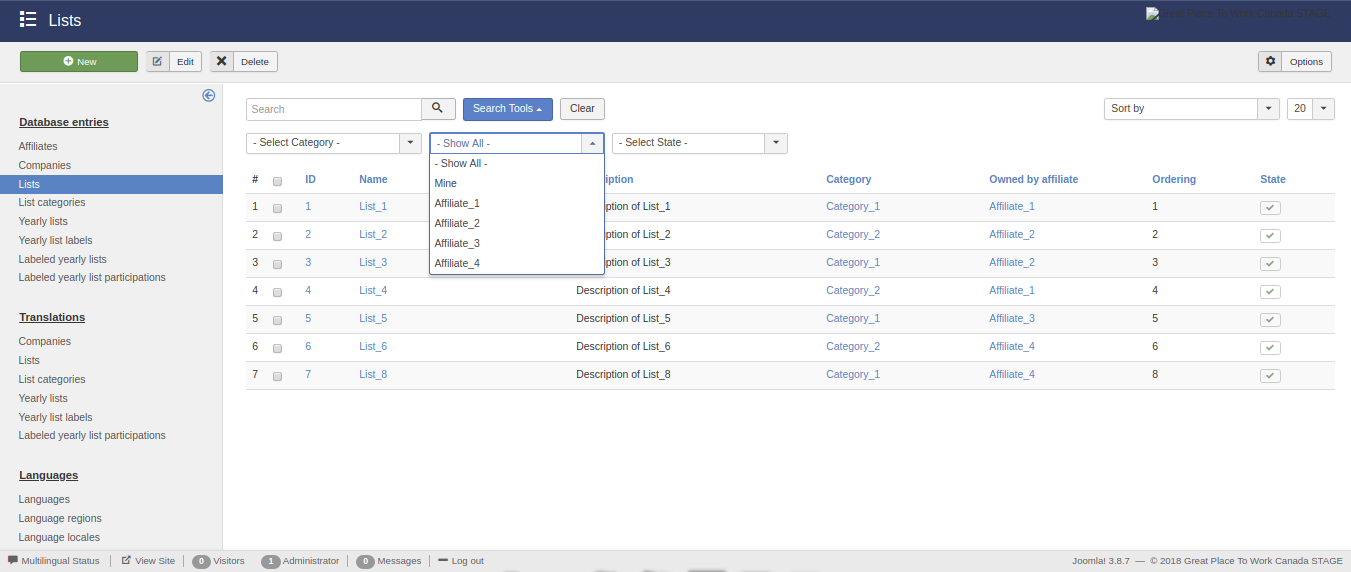
This view presents the available lists.
The search functonality is enabled for all the displayed fields.
The availbale filtering option are:
- Category,
- State, and
- Owner affiliate.
The availbale ordering option are:
- ID (ascending/descending),
- Name (ascending/descending),
- Description (ascending/descending),
- Category (ascending/descending),
- Owner affiliate (ascending/descending),
- Ordering (ascending/descending),and
- State (ascending/descending).
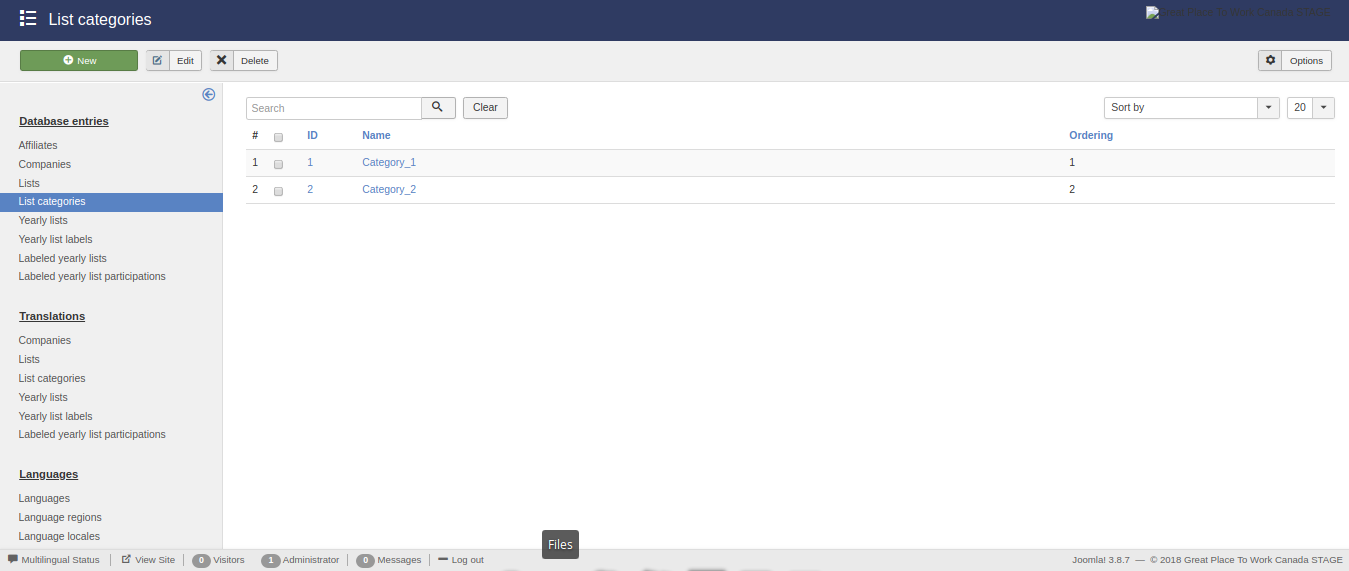
List categories
This view presents the available list categories.
The search functonality is enabled for all the displayed fields.
There are no availbale filtering options.
The availbale ordering option are:
- ID (ascending/descending),
- Name (ascending/descending), and
- Ordering (ascending/descending).
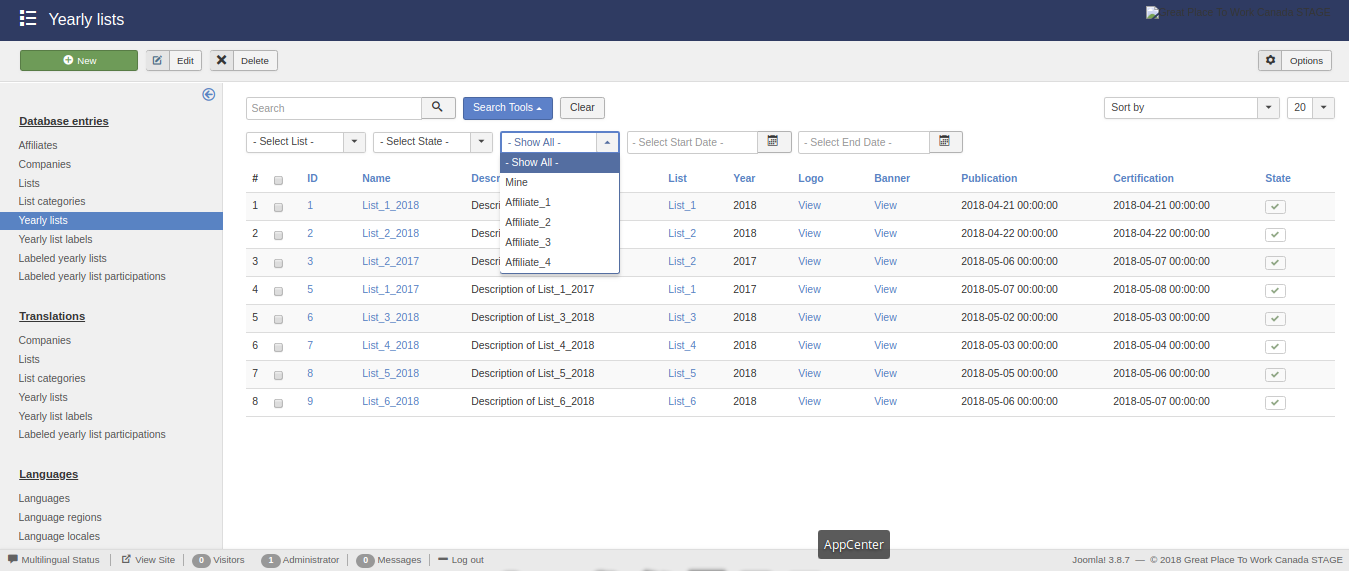
Yearly lists
This view presents the available yearly lists.
The search functonality is enabled for all the displayed fields.
The availbale filtering option are:
- List,
- State,
- Owner affiliate,
- Start date, and
- End date.
The availbale ordering option are:
- ID (ascending/descending),
- List (ascending/descending),
- Year (ascending/descending),
- Name (ascending/descending),
- Description (ascending/descending),
- Logo image (ascending/descending),
- Banner image (ascending/descending),
- Publication date (ascending/descending),
- Certification date (ascending/descending),and
- State (ascending/descending).
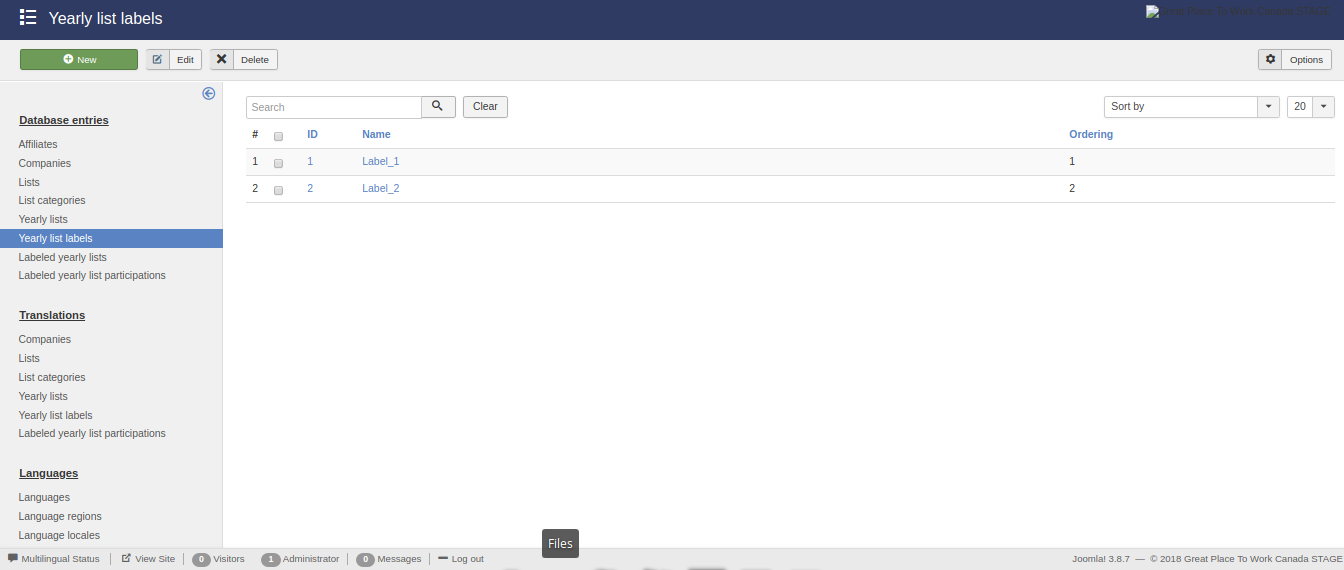
Yearly list labels
This view presents the available yearly list labels.
The search functonality is enabled for all the displayed fields.
There are no availbale filtering options.
The availbale ordering option are:
- ID (ascending/descending),
- Name (ascending/descending), and
- Ordering (ascending/descending).
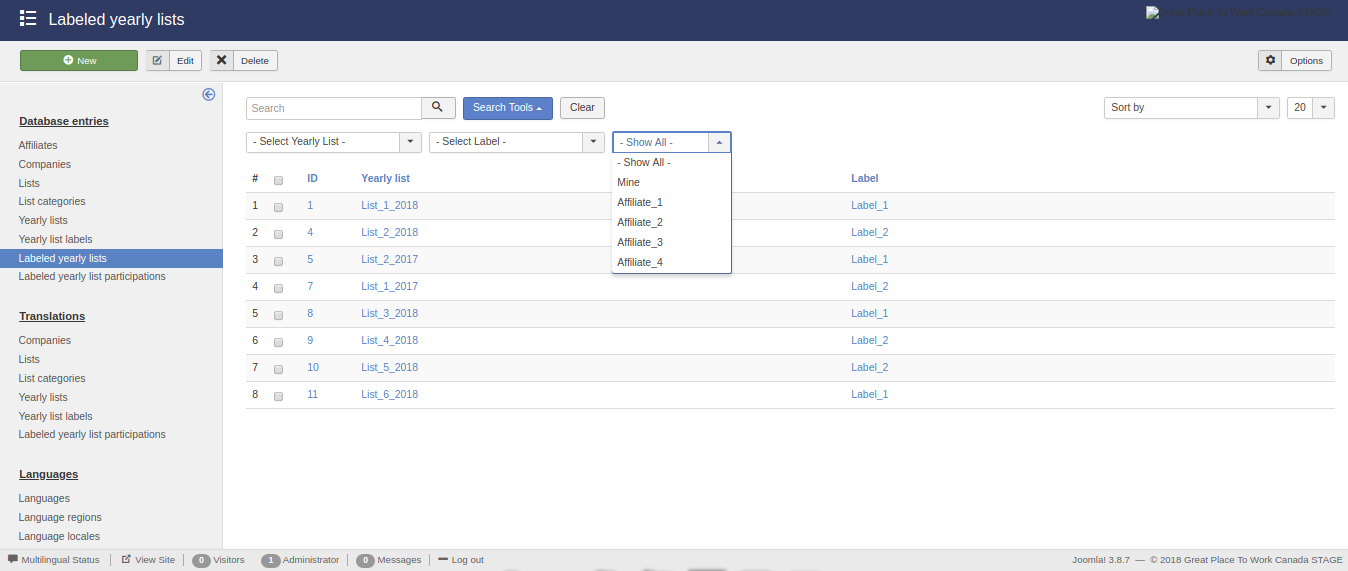
Labeled yearly lists
This view presents the available labeled yearly lists.
The search functonality is enabled for all the displayed fields.
The availbale filtering option are:
- Yearly list,
- Label, and
- Owner affiliate.
The availbale ordering option are:
- ID (ascending/descending),
- Yearly list (ascending/descending), and
- Label (ascending/descending).
Labeled yearly list participations
This view presents the available labeled yearly list participations.
The search functonality is enabled for all the displayed fields.
The availbale filtering option are:
- Yearly list,
- Label,
- Company, and
- Owner affiliate.
The availbale ordering option are:
- ID (ascending/descending),
- Yearly list (ascending/descending),
- Label (ascending/descending),
- Company (ascending/descending),
- Quote (ascending/descending), and
- Rank (ascending/descending).
Edit/create entries
Except for the views that display the existing database entries, the functionality exists to create new and edit existing database enties.
For this reason, a number of buttons and the necessary functions have been created in the previous views. These buttons are:
- New
- Edit
- Delete
In the following subsections the edit/create view of each type of entries is analyzed.
Affiliates
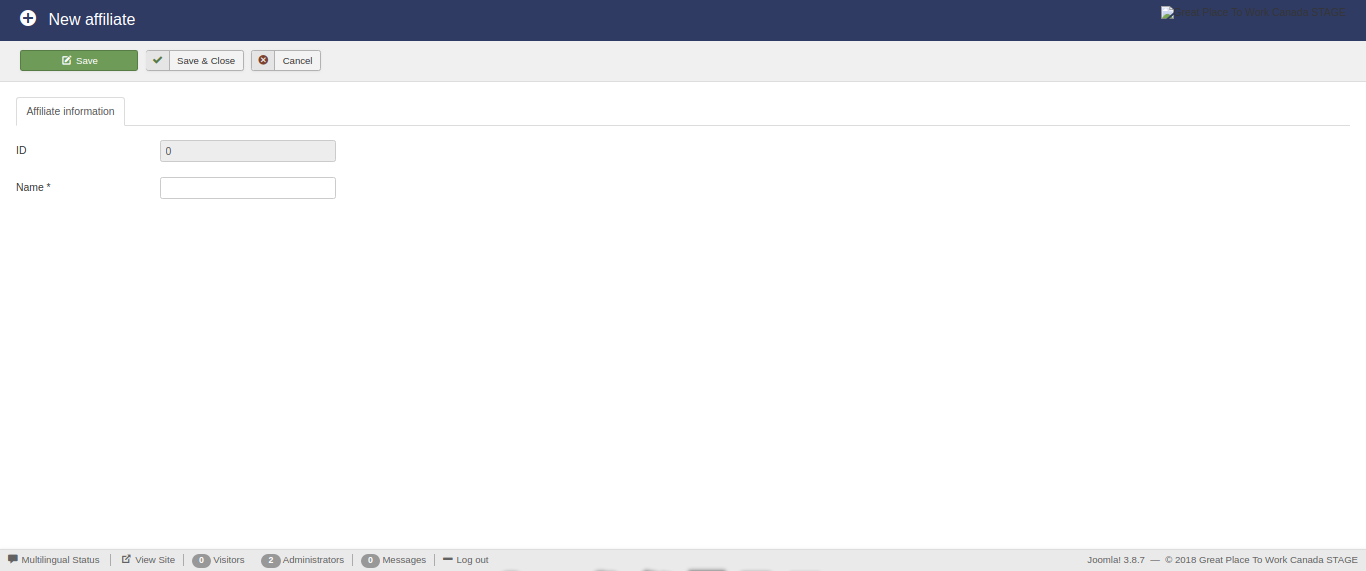
This view enables the editing of the available affiliates.
The form contains the following fields:
- ID, and
- Name.
The ID field is auto-filled and auto-generated.
The Name field is required and must be less than 190 characters.
Companies
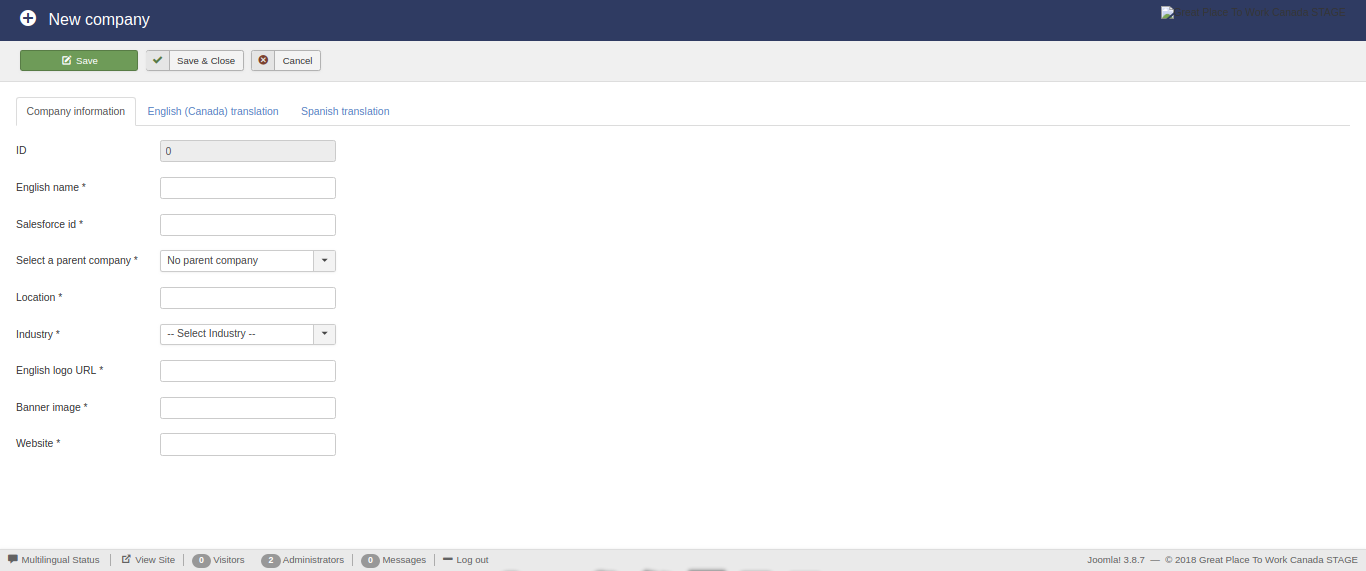
This view enables the editing of the available companies.
The form contains the following fields:
- ID,
- English name,
- Salesforce ID,
- Parent company,
- Location,
- Industry,
- English logo URL,
- Banner image, and
- Website.
The ID field is auto-filled and auto-generated.
The English name field is required and must be less than 255 characters.
The Salesforce ID field is required and must be less than 18 characters.
The Parent company field is required and can selected from a drop down list containnig the existing companies.
The Location field required and must be of type text.
The Industry ID field is required and can selected from a drop down list containnig the existing industries.
The English Logo URL field is required and must be of type text.
The Banner image field is required and must be of type text.
The Website field is required and must be of type text.
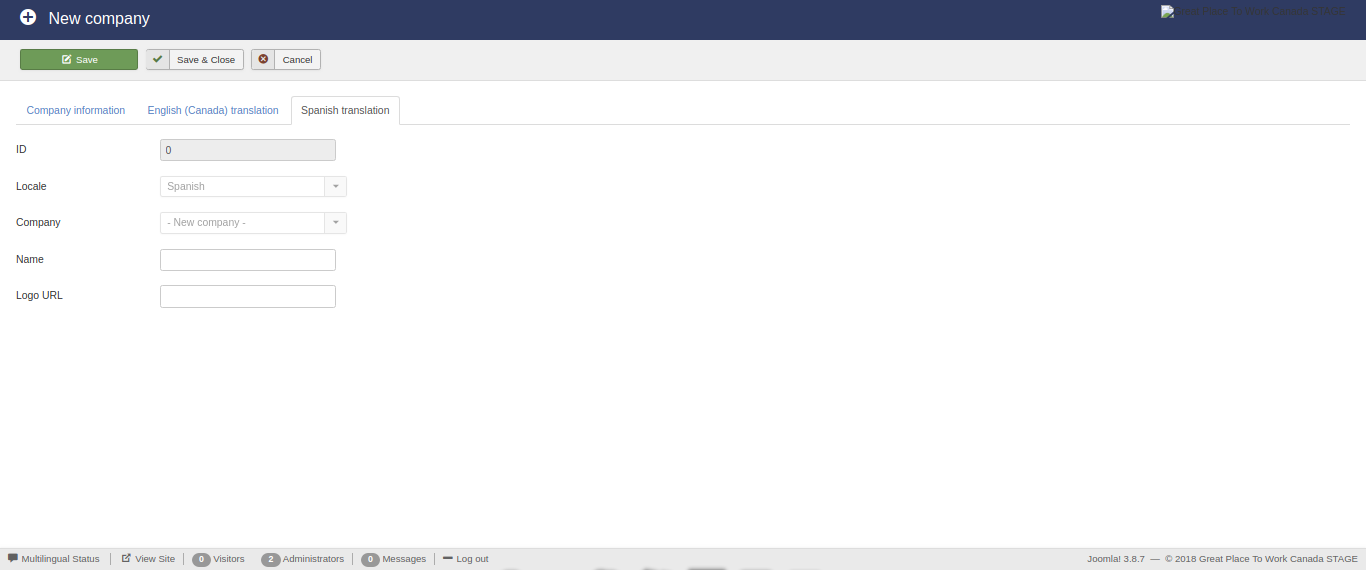
Furthermore, this form contains multiple auto-generated translation sub-forms for each of the languages associated with the affiliate of the logged user! Each translation sub-form contains the following fields:
- ID,
- Locale,
- Company,
- Name, and
- Logo URL.
The ID field is auto-filled and auto-generated.
The Locale field is auto-filled based on the language locale associated with the affiliate of the user.
The Company field is auto-filled based on the current company.
The Name field must be less than 255 characters.
The Logo URL field must be of type text.
Lists
This view enables the editing of the available lists.
The form contains the following fields:
- ID,
- English name,
- English description,
- Category,
- Owner affiliate,
- Ordering, and
- State.
The ID field is auto-filled and auto-generated.
The English name field is required and must be less than 255 characters.
The English description field is required and must be of type text.
The Category field is required and can be selected from a drop down list containnig the existing category.
The Owner affiliate field is required and can be selected from a drop down list containnig the existing affiliates.
The Ordering field is required and must be an integer.
The State field is required and must be an integer.
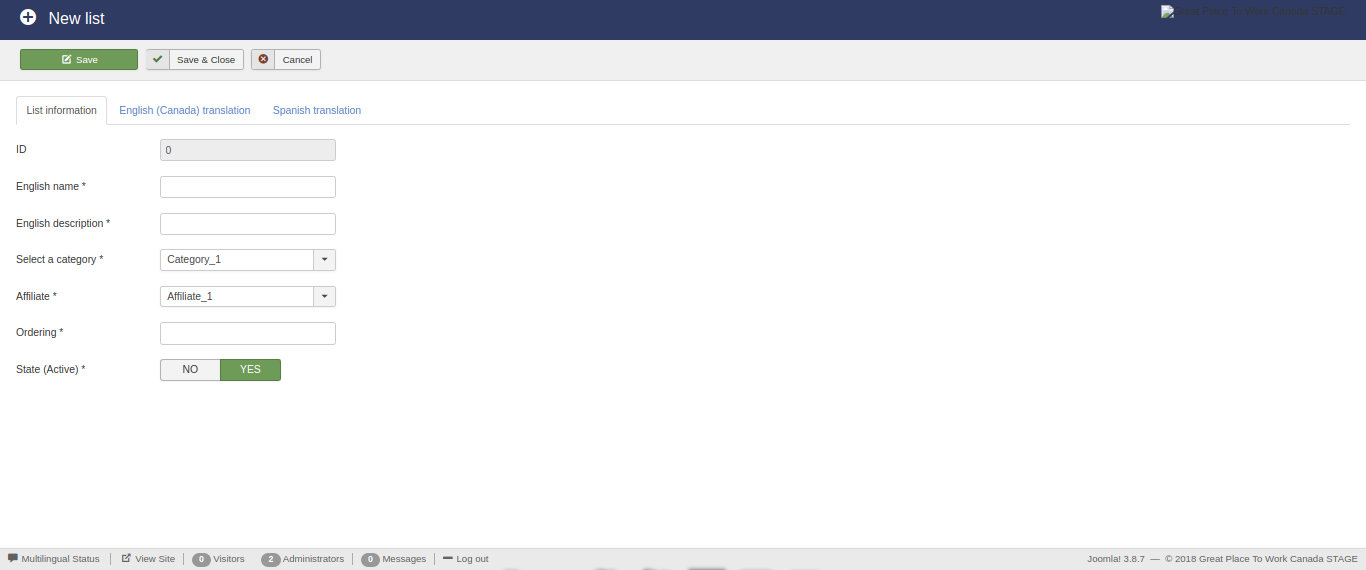
Furthermore, this form contains multiple auto-generated translation sub-forms for each of the languages associated with the affiliate of the logged user! Each translation sub-form contains the following fields:
- ID,
- Locale,
- List,
- Name, and
- Description.
The ID field is auto-filled and auto-generated.
The Locale field is auto-filled based on the language locale associated with the affiliate of the user.
The List field is auto-filled based on the current list.
The Name field must be less than 255 characters.
The Description field must be of type text.
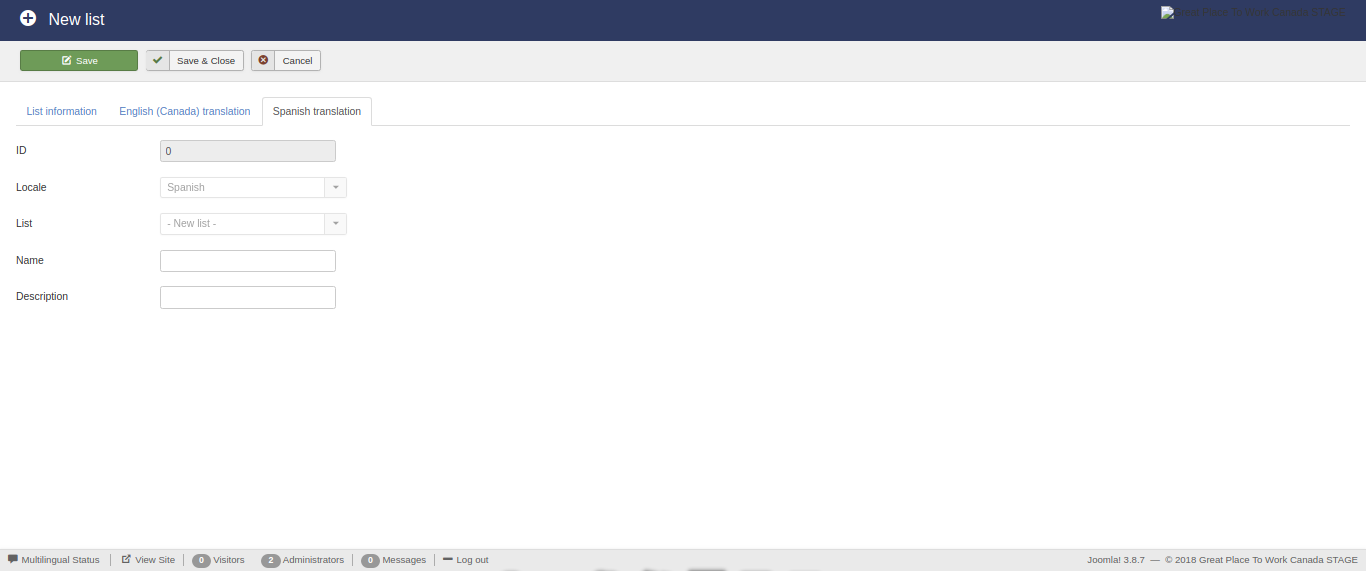
List categories
This view enables the editing of the available list categories.
The form contains the following fields:
- ID,
- English name, and
- Ordering.
The ID field is auto-filled and auto-generated.
The English name field is required and must be less than 190 characters.
The Ordering field is required and must be an integer.
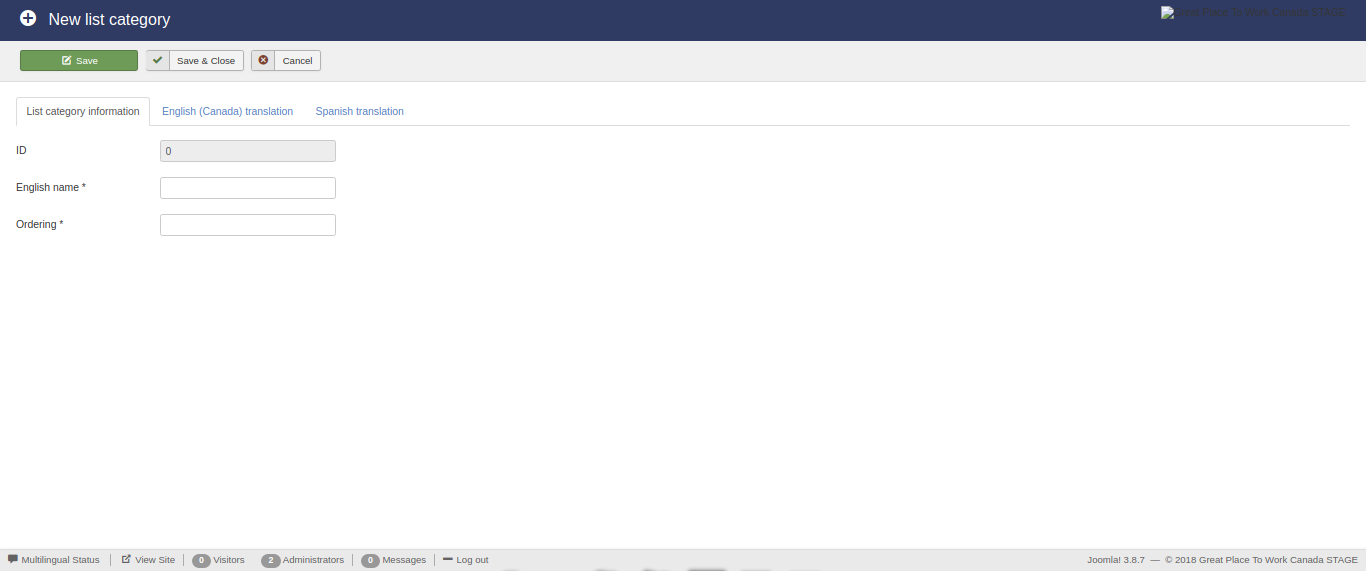
Furthermore, this form contains multiple auto-generated translation sub-forms for each of the languages associated with the affiliate of the logged user! Each translation sub-form contains the following fields:
- ID,
- Locale,
- List category, and
- Name.
The ID field is auto-filled and auto-generated.
The Locale field is auto-filled based on the language locale associated with the affiliate of the user.
The List category field is auto-filled based on the current list category.
The Name field must be less than 255 characters.
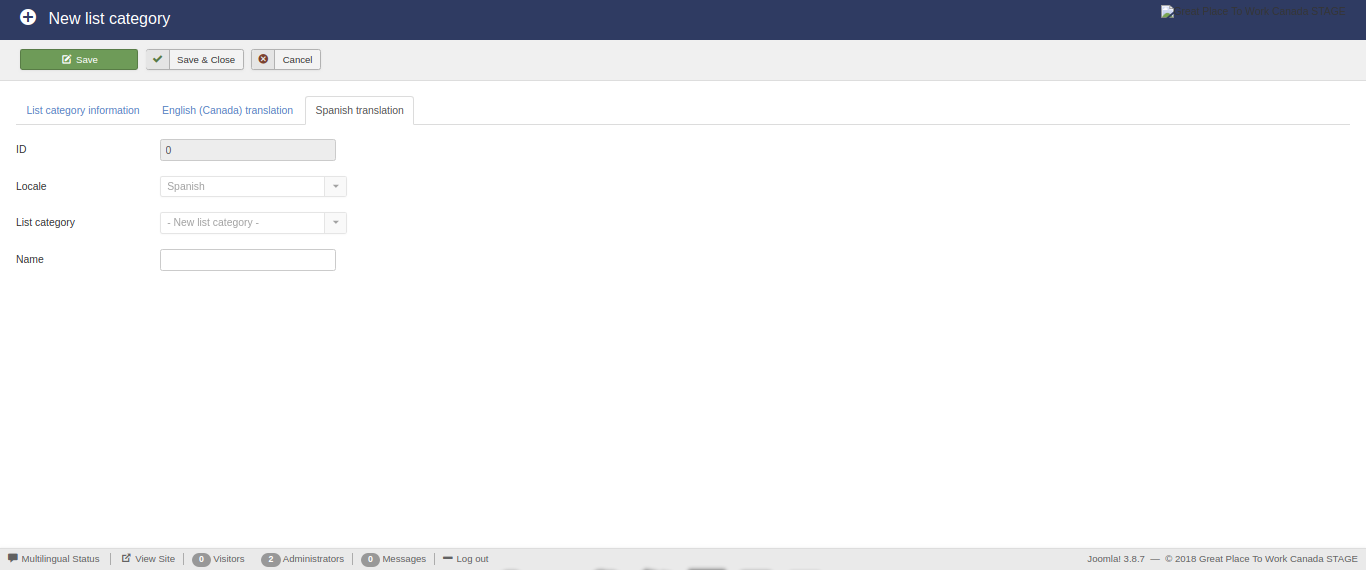
Yearly lists
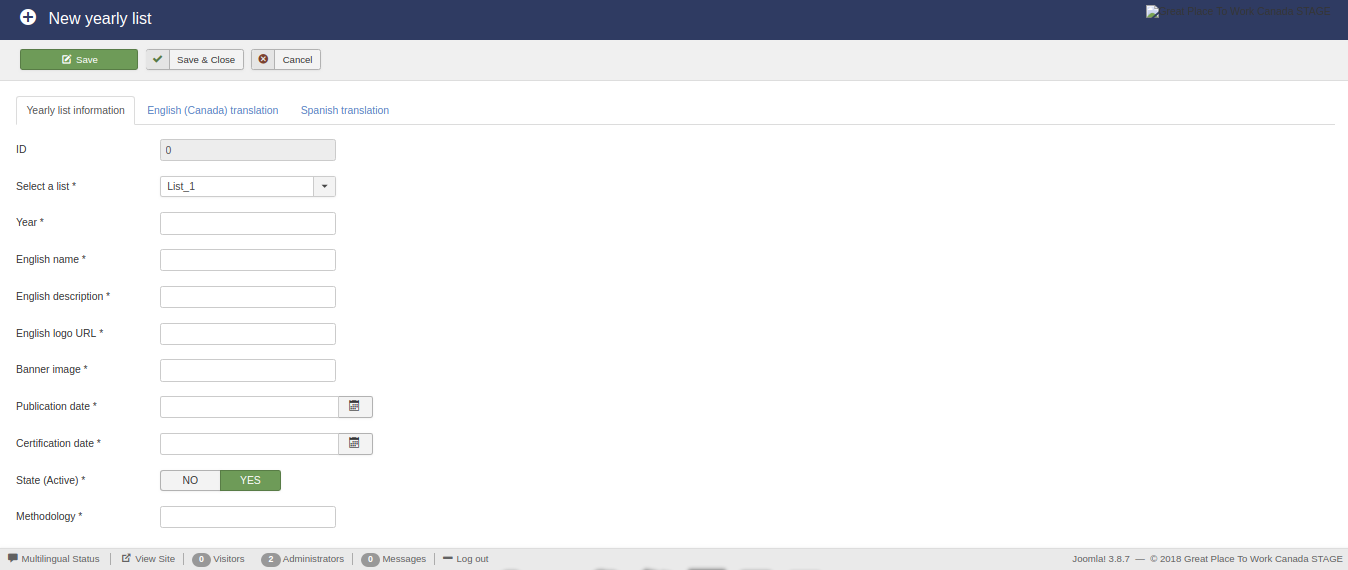
This view enables the editing of the available yearly lists.
The form contains the following fields:
- ID,
- List,
- Year,
- English name,
- English description,
- English logo URL,
- Banner image,
- Publication date,
- Certification date, and
- State, and
- Methodology.
The ID field is auto-filled and auto-generated.
The List field is required and can be selected from a drop down list containnig the existing lists.
The Year field is required and must be an integer.
The English name field is required and must be less than 255 characters.
The English description field is required and must be of type text.
The English logo URL field is required and must be of type text.
The Banner image field is required and must be of type text.
The Publication date field is required and must be a date.
The Certification date field is required and must be a date.
The State field is required and must be an integer.
The Methodology field is required and must be of type text.
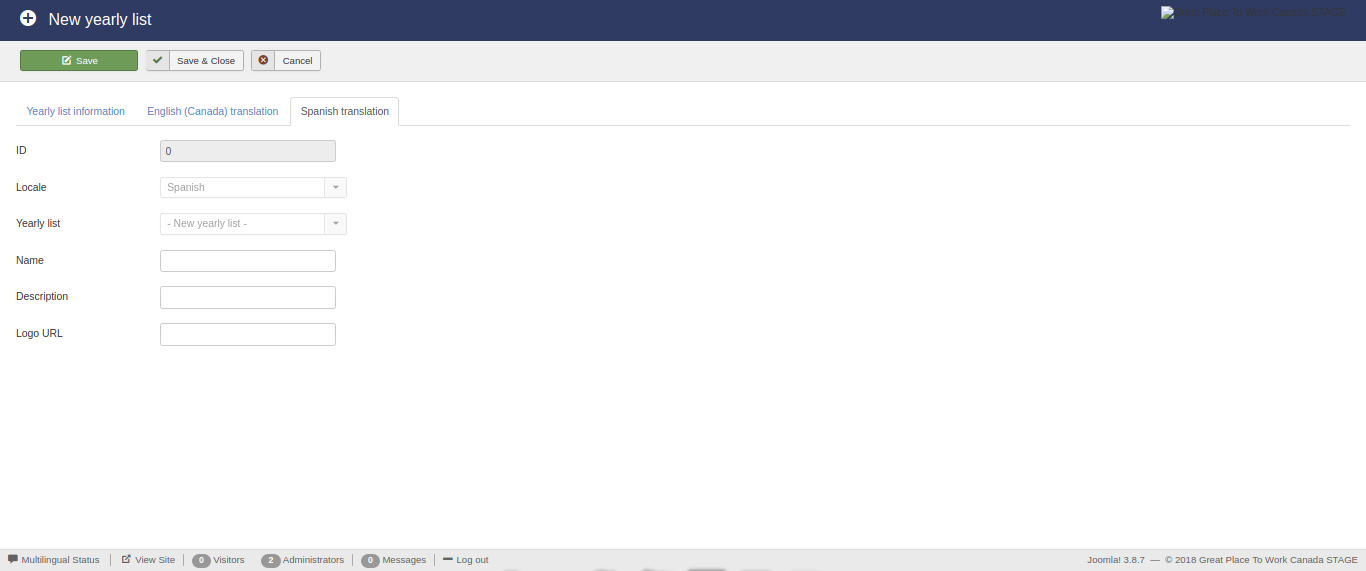
Furthermore, this form contains multiple auto-generated translation sub-forms for each of the languages associated with the affiliate of the logged user! Each translation sub-form contains the following fields:
- ID,
- Locale,
- Yearly list,
- Name,
- Description, and
- Logo URL.
The ID field is auto-filled and auto-generated.
The Locale field is auto-filled based on the language locale associated with the affiliate of the user.
The Yearly list field is auto-filled based on the current yearly list.
The Name field must be less than 255 characters.
The Description field must be of type text.
The Logo URL field must be of type text.
Yearly list labels
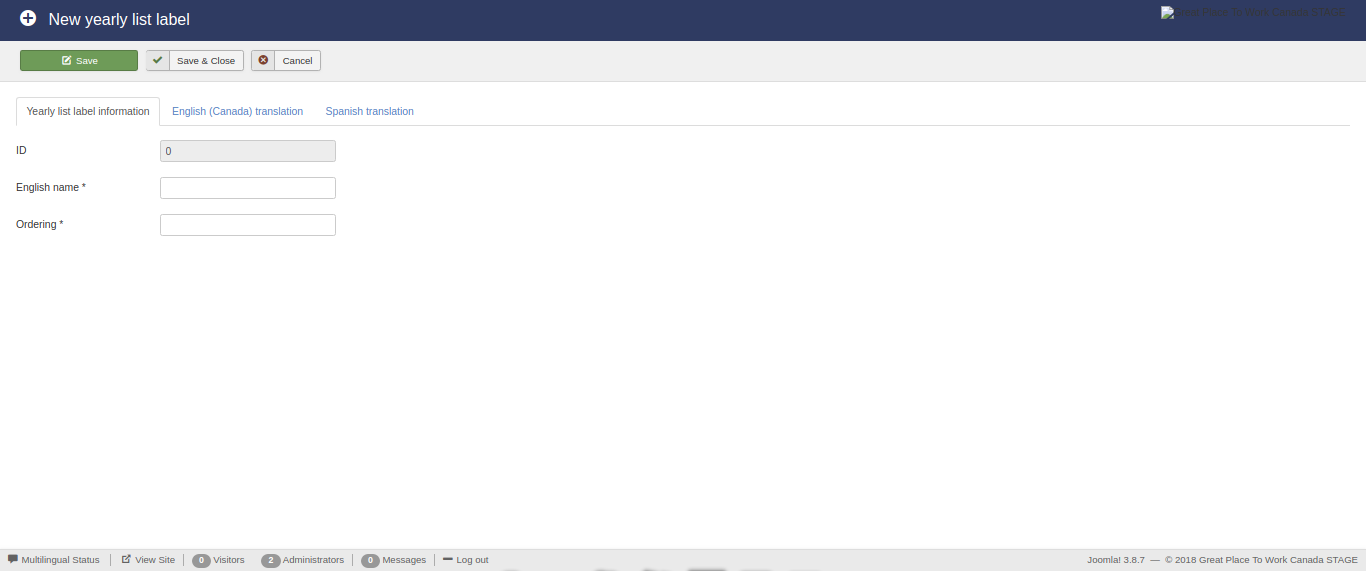
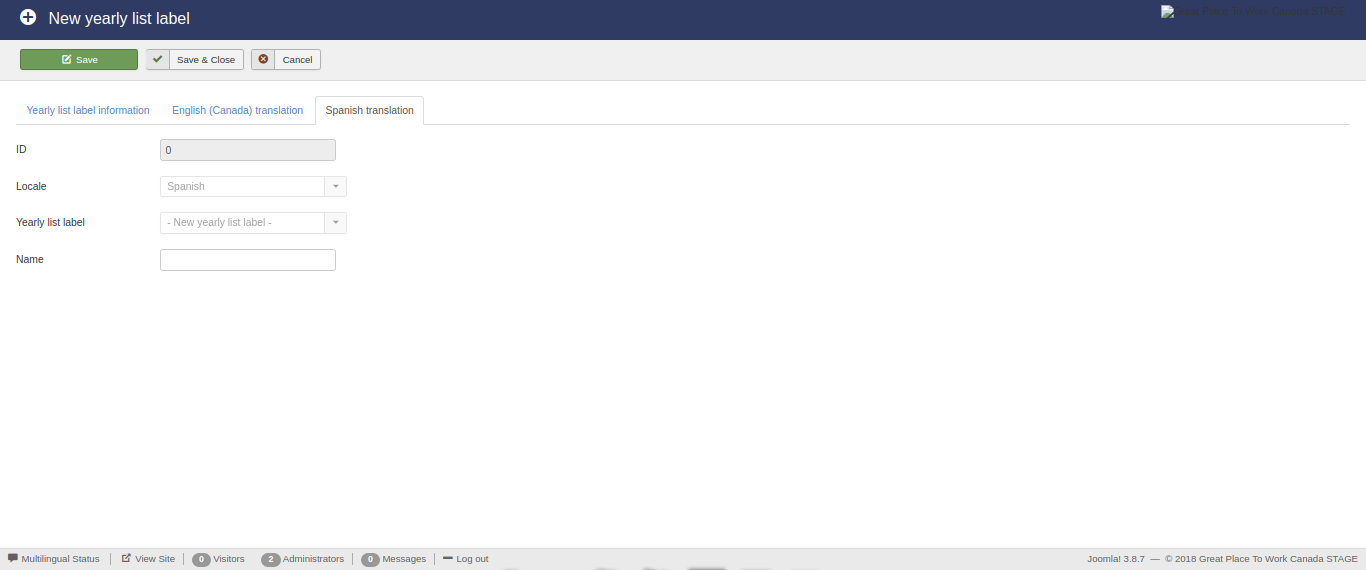
This view enables the editing of the available yearly list labels.
The form contains the following fields:
- ID,
- English name, and
- Ordering.
The ID field is auto-filled and auto-generated.
The English name field is required and must be less than 190 characters.
The Ordering field is required and must be an integer.
Furthermore, this form contains multiple auto-generated translation sub-forms for each of the languages associated with the affiliate of the logged user! Each translation sub-form contains the following fields:
- ID,
- Locale,
- Yearly list label, and
- Name.
The ID field is auto-filled and auto-generated.
The Locale field is auto-filled based on the language locale associated with the affiliate of the user.
The Yearly list label field is auto-filled based on the current list category.
The Name field must be less than 255 characters.
Labeled yearly lists
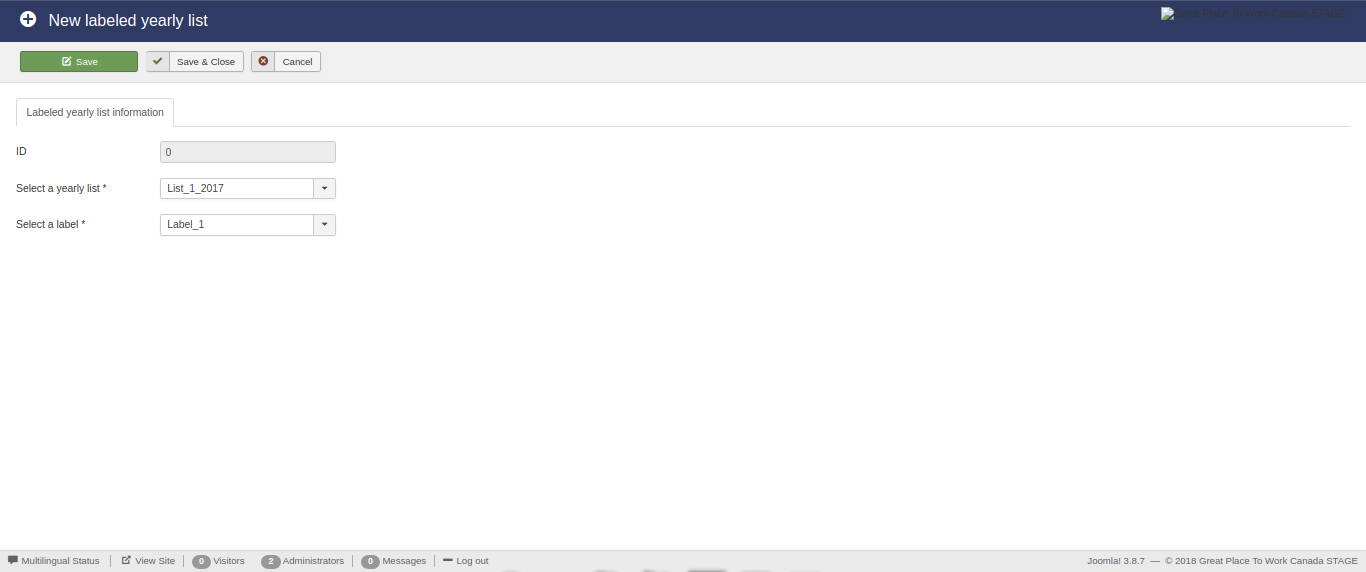
This view enables the editing of the available labeled yearly lists.
The form contains the following fields:
- ID,
- Yearly list, and
- Label.
The ID field is auto-filled and auto-generated.
The Yearly list field is required and can be selected from a drop down list containnig the existing yearly lists.
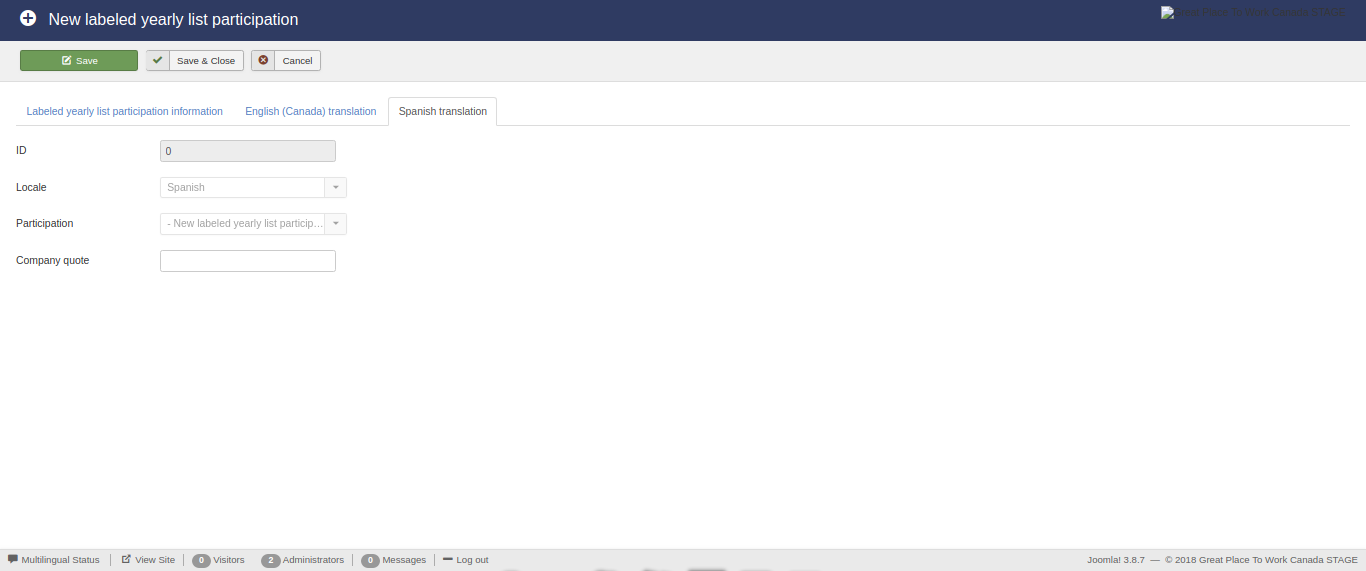
The Label field is required and can be selected from a drop down list containnig the existing labels.
Labeled yearly list participations
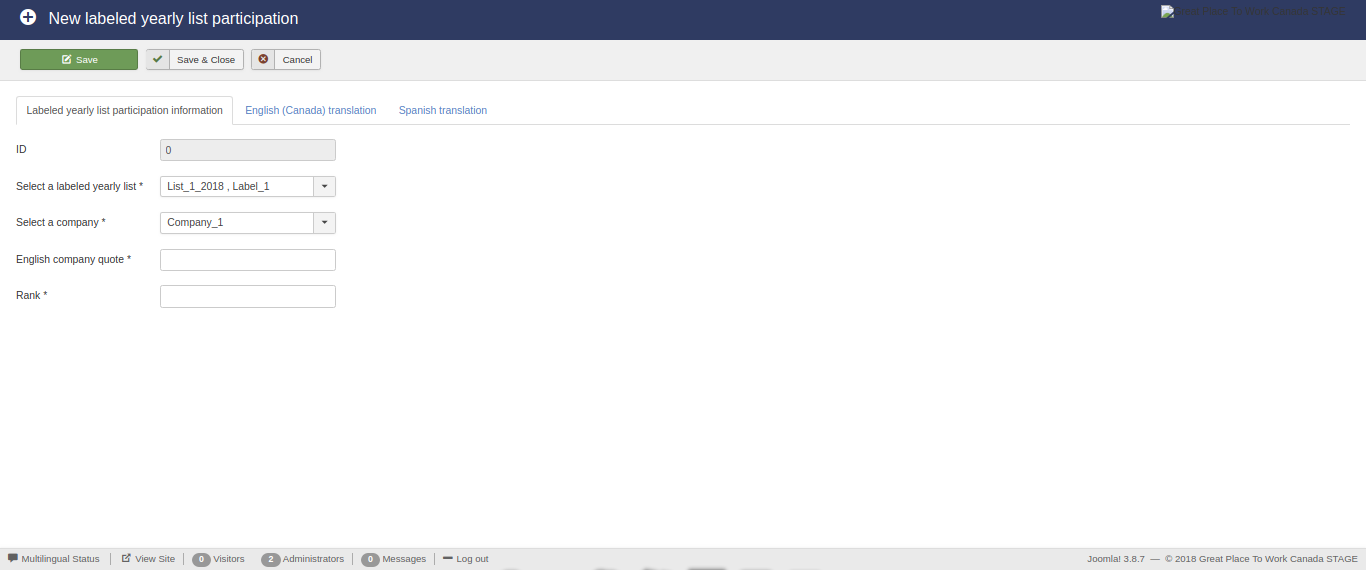
This view enables the editing of the available labeled yearly list participations.
The form contains the following fields:
- ID,
- Labeled yearly list,
- Company,
- English company quote, and
- Rank.
The ID field is auto-filled and auto-generated.
The Labeled yearly list field is required and can be selected from a drop down list containnig the existing labeled yearly lists.
The Company field is required and can be selected from a drop down list containnig the existing companies.
The English company quote field is required and must be of type text.
The Rank field is required and must be an integer.
Furthermore, this form contains multiple auto-generated translation sub-forms for each of the languages associated with the affiliate of the logged user! Each translation sub-form contains the following fields:
- ID,
- Locale,
- Labeled yearly list participation, and
- Company quote.
The ID field is auto-filled and auto-generated.
The Locale field is auto-filled based on the language locale associated with the affiliate of the user.
The Labeled yearly list participation field is auto-filled based on the current labeled yearly list participation.
The Company quote field must be of type text.